Wedding website
Your guests get a page of their own, not a PDF
Everything the guests wonder about is in one place, and that place keeps itself up to date. When the run sheet changes, the page changes. The invitation on the fridge does not.
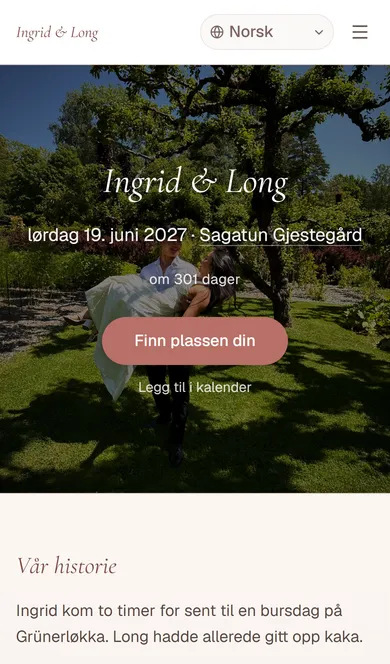
The day, the way there and the reply
Your photograph, the date, the countdown, the address with a map, the run sheet and the reply form. The guest replies on the page, and the reply lands straight in your guest list.
In the guest's own language
The page exists in Norwegian, English and Vietnamese, and the guest chooses in the corner. You write the text once and override only what you want to say differently in one of them.
No app, no account
The address is short enough to print on an invitation and to become a QR code on a sheet you hang up. The guest taps and is in — that is the whole sign-in.
Questions and answers
Do guests have to make an account?
No. The guest site is open, and a guest needs only the link or the QR code. That is the point: a grandmother with a printout should get as far as a cousin with a phone.
Can we see the page before we share it?
Yes. The preview stands at phone size beside the settings that decide what is on the page, so you see the change while you are making it.
What does the web say about our guests?
Only what you put there. A guest's own page — the one showing their table — is marked so search engines leave it alone, and the guest list is never public.
See what the page looks like
The demo site is a real wedding with real tables and a real run sheet. Tap around it the way a guest would, before you make your own.