Wedding planning, from the engagement to the last dance
One digital wedding planner. The whole wedding in one place.
Guest list, seating chart, budget, run sheet and a wedding website of their own for the guests — in one tool, instead of five that do not talk to each other. From the ring going on to the lights going out.
No app to download. Guests scan the sheet you hang up, or search on the iPad at the venue.
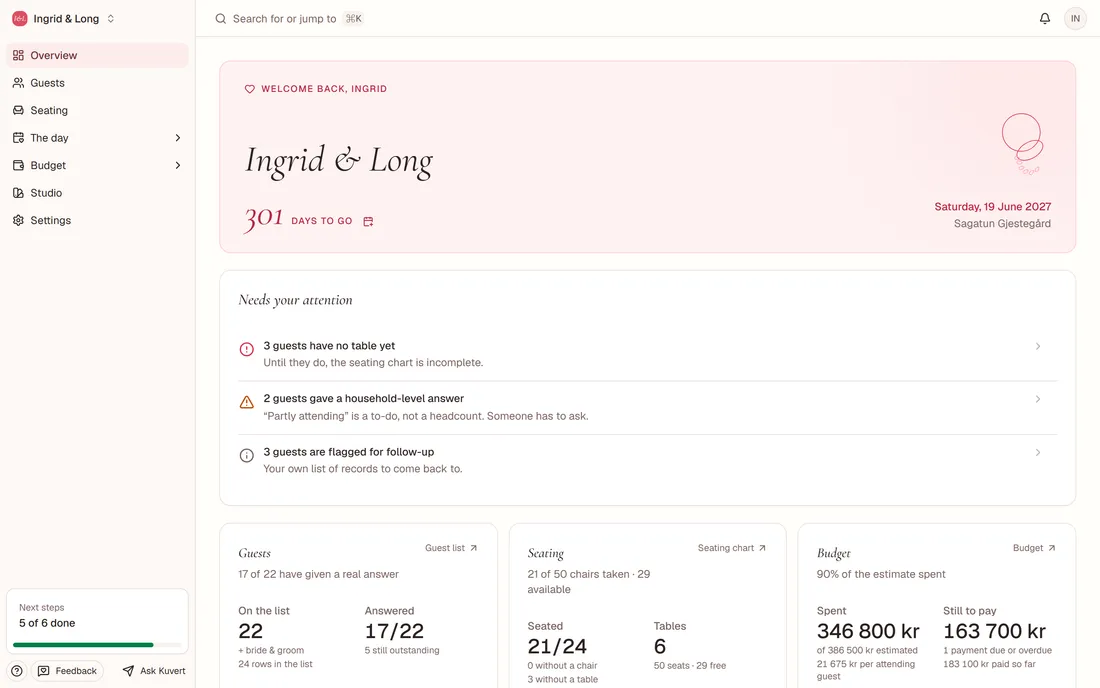
Seating
A guest scans, types their name, and finds the table
This is the screen that is hardest to picture from a description, so here it is instead. Try it the way a guest meets it — on their own phone, or on the iPad you put out at the venue.
The code does not belong on the place card — by the time a guest is holding one, they have found the table. It belongs where guests arrive. Move somebody at seven and the search shows the new table at one minute past.
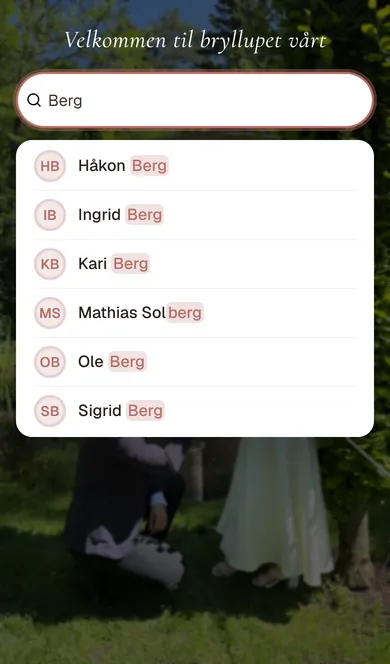
Three ways in, and you do not have to pick one
The sheet you print
Kuvert makes an A4 sheet with your names and a ten-centimetre QR code on it. The code opens your wedding site, where “Find your seat” is waiting. Hang it where guests arrive — or download the code on its own, if you would rather make the sign yourself.
The iPad at the venue
Kiosk mode turns one device into a shared lookup station: it returns to the search by itself after each guest and clears the field. It applies to that device only — guests using their own phones notice nothing.
The address on the invitation
It is the same page. Guests who want to know their table before they leave home can look it up there.
Why keep it together
Five tools become one, and that is where the hours are
It is rarely any one of the tools that takes the time. It is the distance between them: the guest list in a spreadsheet, the seating chart in a presentation, the budget in a third sheet, the run sheet in a shared document and the replies in a group chat. Every time a name changes it has to change in five places — or it does not, and you find out the day before.
How we did it ourselves
- The guest list in a spreadsheet, and a copy of that spreadsheet with the best man
- The seating chart drawn as ovals in a presentation, which do not know who is sitting in them
- The budget in a third sheet, where the estimate and the real price shared a column
- The run sheet in a shared document the photographer could not open
- Replies, allergies and cancellations spread across texts, email and a group chat
How you do it in Kuvert
- One guest list. Change a name and it is changed everywhere it appears
- The seating chart knows the guests: a table with ten chairs cannot take eleven
- Estimate and paid are two numbers, and the reminder comes before the due date
- The run sheet has its own link for the photographer and the toastmaster, no account needed
- Replies arrive on the guests' own page and land straight in the list
Norwegian wedding planners put the work of planning a wedding at 250–300 hours. We will not promise you how many of those this saves. We do know which of them go on typing the same name in for the fifth time.
Studio
Build the guest site and watch it happen
Write the text, choose the photograph and the colours, and watch the page change in the phone beside you as you do. The pages your guests read, the languages they read them in and the cards that end up on the tables are all in the same room. Nothing has to be published again — what you save is what the guests see.
More on the wedding website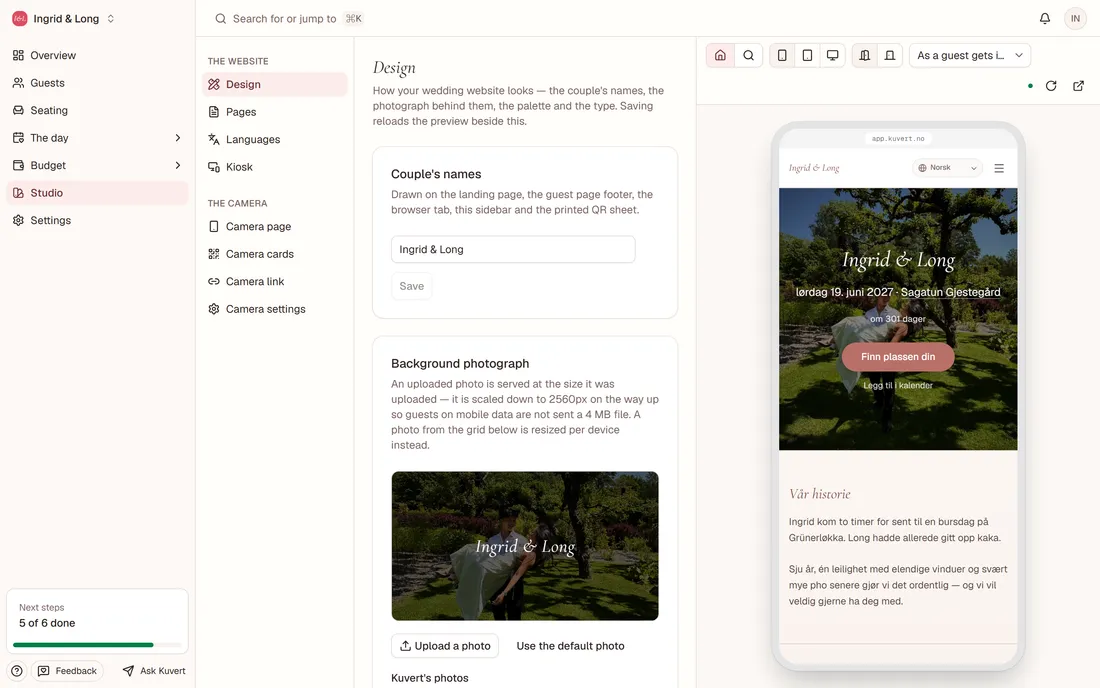
Seating chart
Draw the room the way it actually looks
Drag the tables to where they stand in the hall, put in the stage, the bar and the dance floor, and move guests between chairs. You see at once who has not been seated — and a locked table stays where it is however many people pull at it. If the venue has ten round tables, the chart cannot promise eleven.
More on the seating chart
On paper
And the part that is not a screen at all
The venue, the caterer and the photographer do not open an app. They work from a sheet. Four of them come out of what you have already filled in, and none of them can disagree with the screen, because it is the same list.
The sheet you hang up
An A4 page that prints at its real size, carrying the code your guests scan on the way in. The address is spelled out in letters underneath it as well — for the guest whose camera refuses.
The run sheet, and the programme
Two documents from one plan: the working copy naming who is responsible for what, and the programme you leave on the chairs, without owners and without anything unpublished. The private notes field is never printed, and the sheet says so at the foot of the page.
The plan of the room
Your tables where they will actually stand, with a key beside them, on landscape A4 for whoever sets the room up. Measure the venue and the measurements are on the sheet; leave it unmeasured and nothing appears that pretends to be one.
The kitchen's list
Who cannot eat what, sorted by table. It is built to be read in black and white: anything life-threatening is marked by the word and a heavy rule, never by a colour a printer is free to leave out.
Guest list
One list, not five spreadsheets
Search, filter and edit many at once. Import from Excel with column mapping, so you do not type a hundred and fifty names in again. Allergies and considerations sit on the guest rather than on a sticky note — and everything that happens lands in the log, so you can see who changed what.
More on the guest list
Budget
What it costs, and what has actually been paid
Line items with an estimate, a real price, a vendor and a due date. Two numbers that rarely agree: what is left of the estimate, and what is still to be paid. Bills with a deadline appear among your notifications before they fall due — not the week after.
More on the wedding budget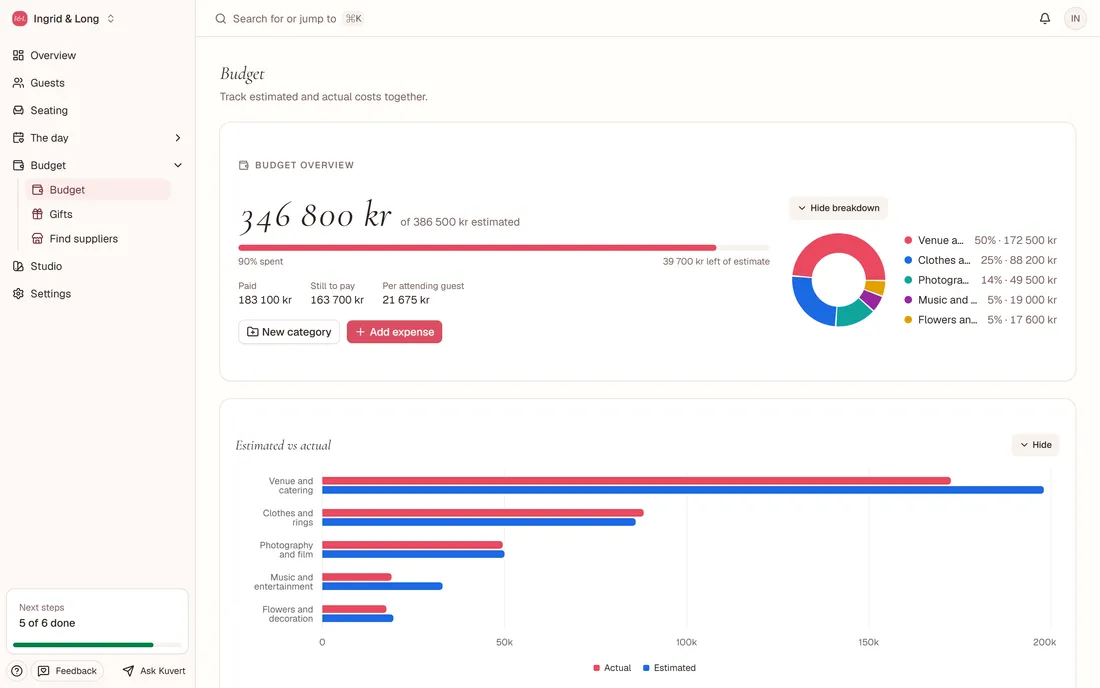
Run sheet
The day, hour by hour
A time, someone responsible and attachments on every item — from the first toast to the last dance. The morning can run in two tracks when the bride is in one place and the groom in another, meeting again at the ceremony. The photographer and the toastmaster get a link of their own, without having to make an account.
More on the run sheet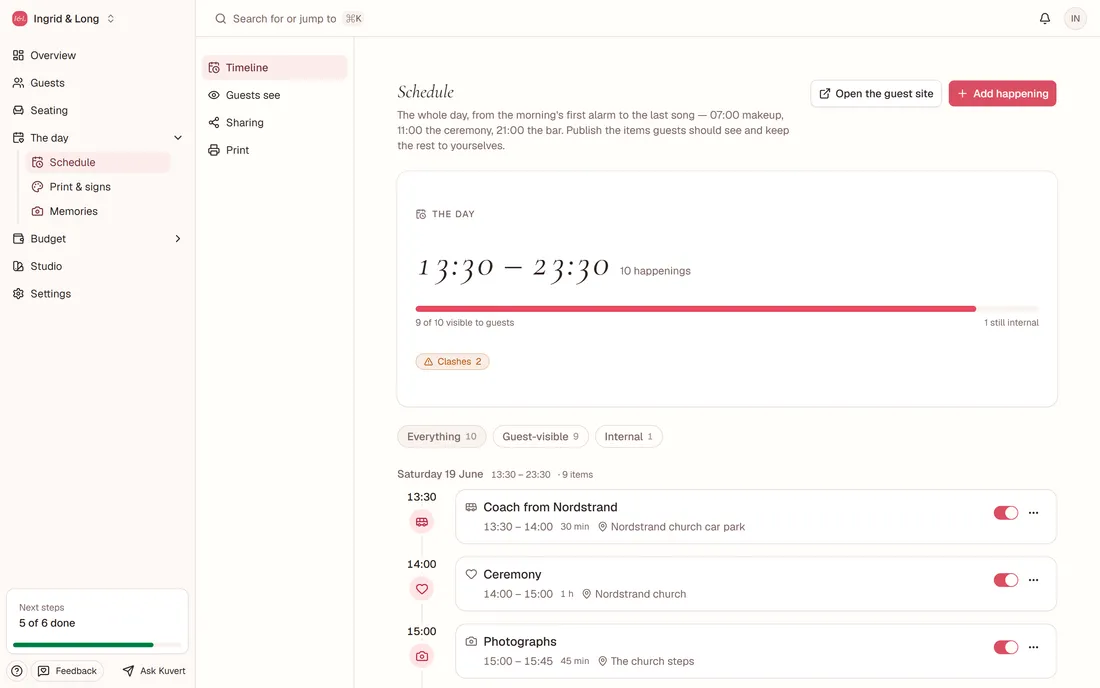
The rest of the planning
And everything else a wedding takes
The screens you will use more often than you expect.
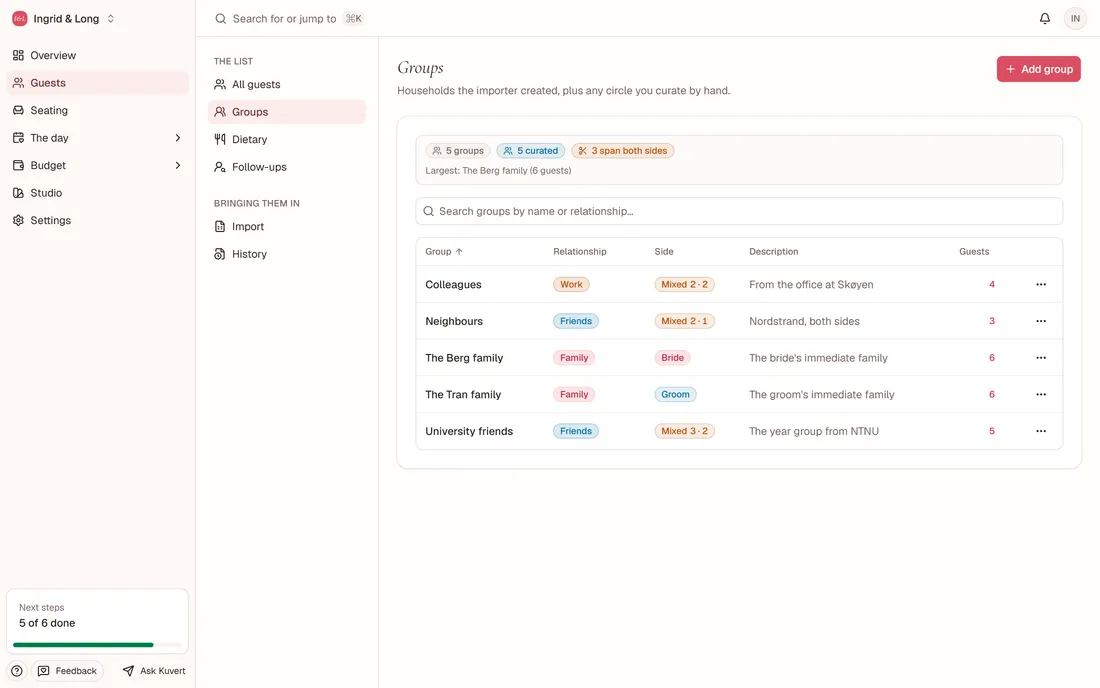
Groups
Families, friends and colleagues as a single unit. Move a whole group to the same table in one movement — and see at once when a group has been split between the bride's side and the groom's.
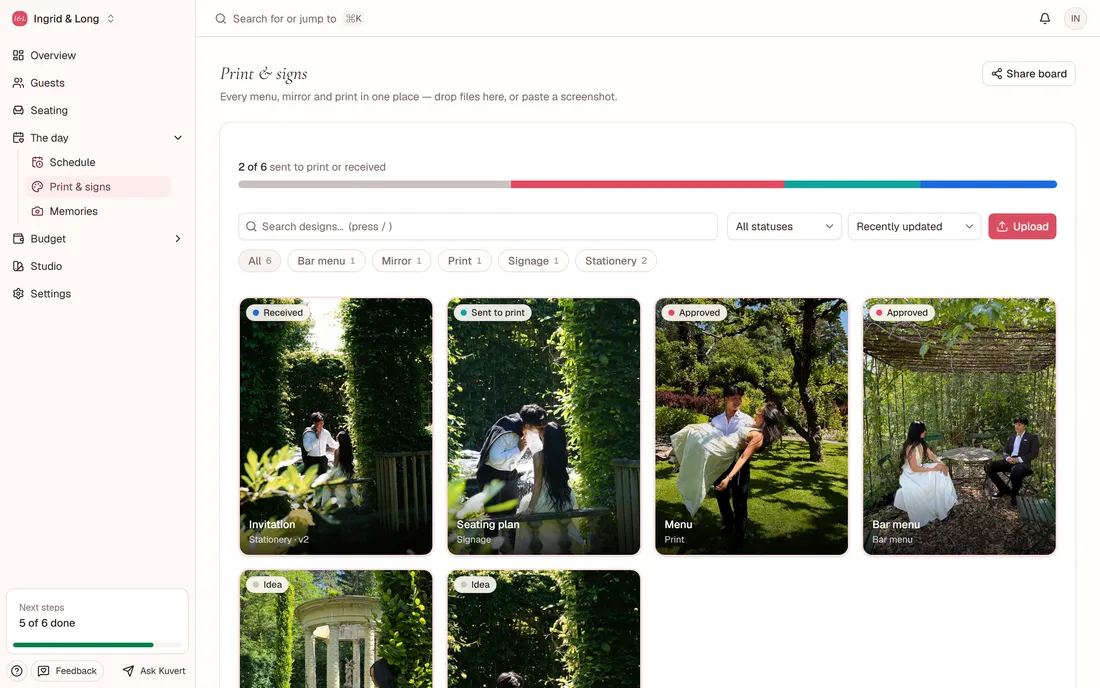
Designs
Invitations, napkins and signs on one board. Upload a new version and everything pointing at that file follows it — including the menu the guests read.
Gifts and thank-you cards
Who gave what, and who has been thanked. The gift book is a list of its own — it is not subtracted from the budget, because those are two different questions.
Vendors
A catalogue of photographers, florists and venues we can vouch for — filtered by who actually drives to your county, not by where the company is registered.
Import from Excel
Upload the spreadsheet you already have. You choose which column is what, see the result before anything is written, and can undo the whole import.
Co-planners
Invite your partner, your best man or a wedding planner. Everyone can edit; only owners can invite further and remove people.
Editing at the same time
You can both be in the seating chart at once. You see who else is in it, which table they are working on, and can leave a comment with @name.
Preview and languages
See the guest site beside the settings that decide what it says. English, Norwegian and Vietnamese — the guest chooses. An iPad at the venue can be put into kiosk mode.
Wedding website
Your guests get a wedding website of their own
One scan of the code you hang up, and a guest has their table, who is sitting at it, the run sheet and the way to the venue. In English, Norwegian or Vietnamese — the guest chooses.
- No app, no sign-in, no account
- Works on the phone already in their hand
- The same page on an iPad at the venue, resetting itself between guests
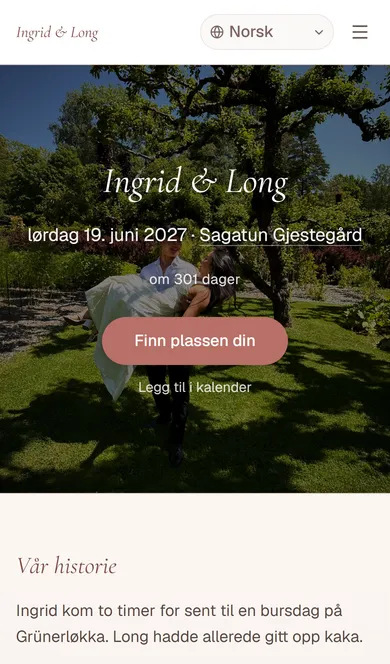
Add to calendar
The first thing a guest does with the link
A guest who has your date in their own calendar is a guest who turns up in the right place at the right time, without hunting for the link again. The button is on the guest site — and on the run-sheet link the photographer and the toastmaster get.
One tap, not a download
Google Calendar and Outlook open straight away. Everyone else gets a real calendar file, and on an iPhone Safari offers to put it into Calendar rather than burying it in Files.
The whole day, with no clock
A wedding day is a day and not an instant, so the entry is an all-day one. That is why it still reads correctly for a guest travelling in from another time zone.
The address is in the entry
Not just the name of the venue. A calendar has to be able to find its way there, and a name is something a person recognises where an address is something a phone can navigate to.
Move the day and it stays one wedding
If a guest adds it again afterwards, the entry they already have changes instead of leaving them holding two. It does take that second tap — we push nothing into anybody's calendar.
Disposable camera and guest book
The evening, from where your guests were sitting
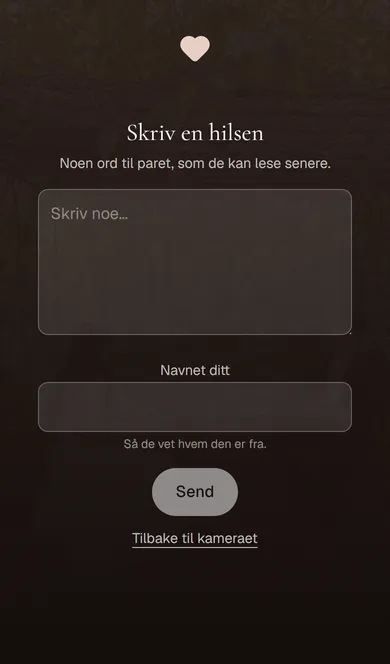
A card with a QR code on every table. One scan and a guest is holding a camera and a guest book — no app, no sign-in, no account. All of it reaches you while the evening is still going.
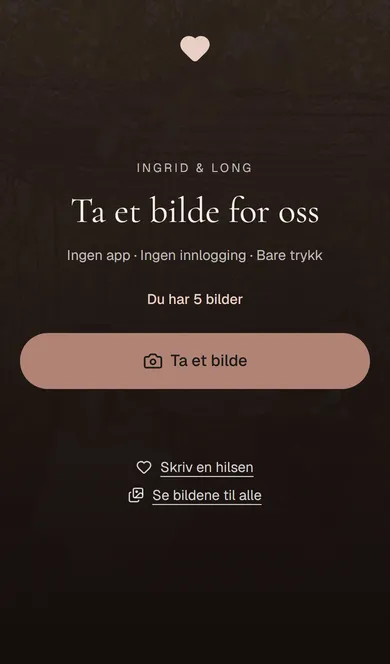
A few photographs each
Every phone gets a small number of shots, the way a disposable camera does. You decide how many. A guest can tap their name afterwards, or leave it.
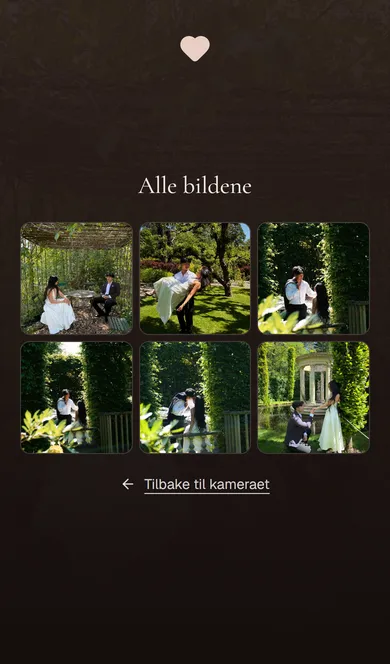
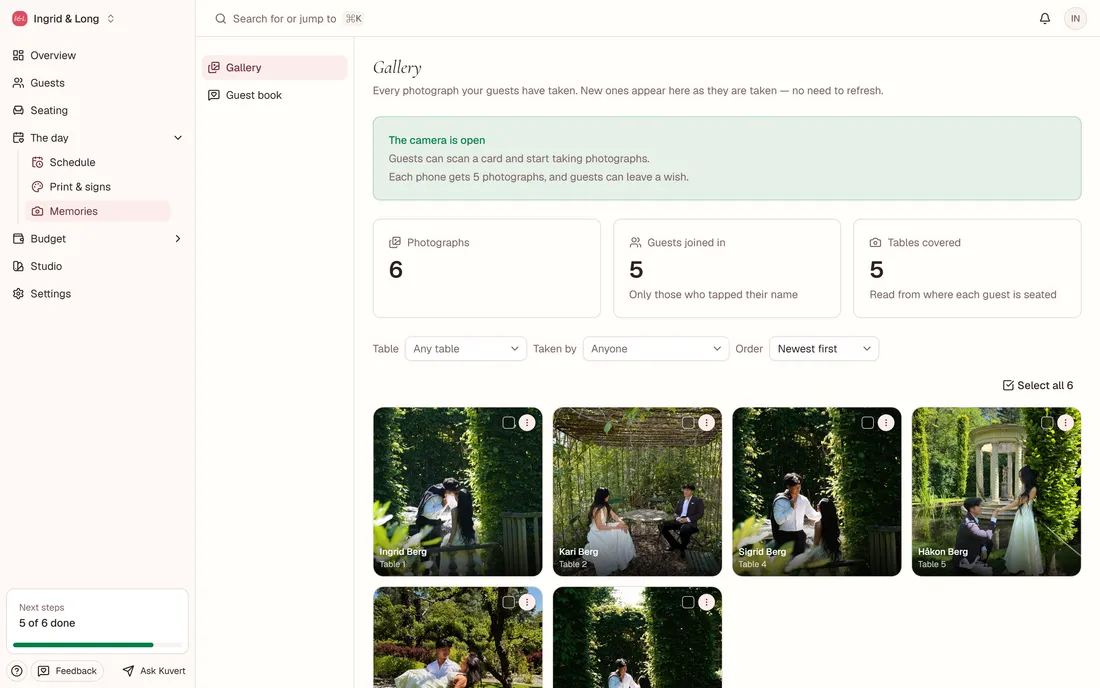
The photographs gather in one place
Everything your guests take appears in your gallery as the evening goes on — with who took it and which table they were sitting at. Download the lot, and hide or delete anything you would rather not keep.
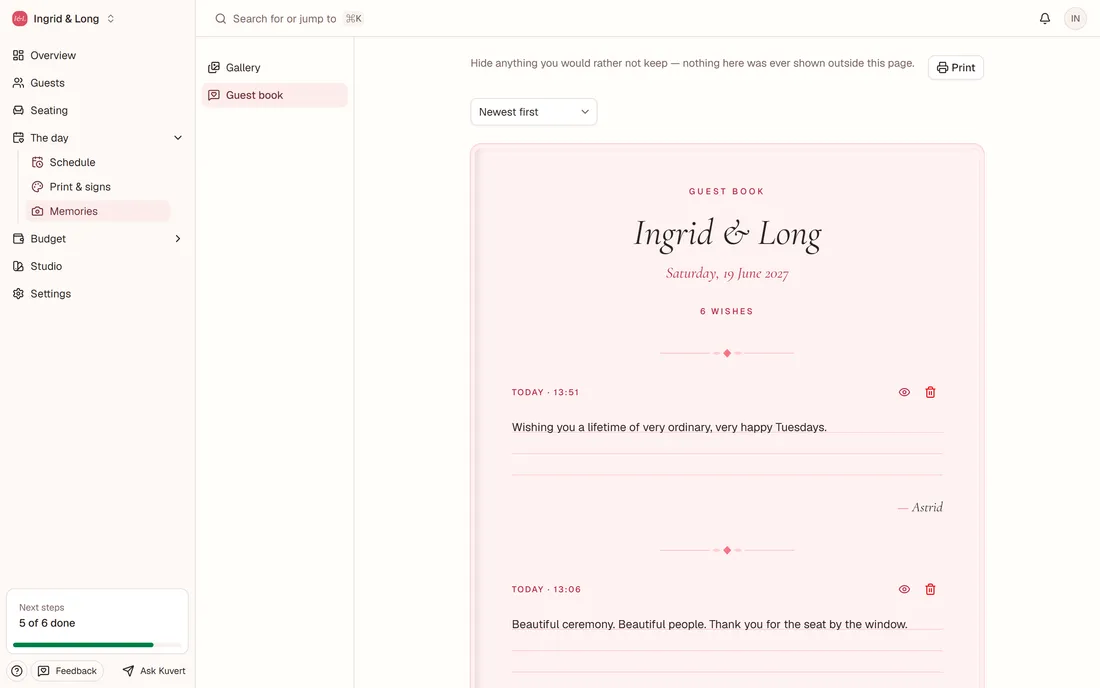
The wishes become a book
Everything written over the evening gathers as a bound volume in your workspace, dated and signed under each one. Nobody but you sees it — and it prints.
Pricing
Pay for what you use, and no longer
Basic you pay for by the month while you plan, and cancel once the day is over — choose the year and it costs the same as ten months. All inclusive you buy once, and then it is yours.
Yearly gives you 2 months free on Basic. All inclusive costs the same either way — it is bought once.
Free
Enough to find out whether this is how you want to plan.
0 kr
No card, no trial, no expiry
- Up to 200 guests, with groups and sides
- The table plan, with as many tables as the venue holds
- The guests' own site, and the QR code that opens it
- One language on the guest site
Basic
Most chosen
The whole wedding, for a couple doing it themselves.
149 kr
per month, for one wedding
- Everything in Free, with no cap on the number of guests
- Import from Excel, with column mapping
- The run sheet, and share links for the photographer and the toastmaster
- The budget, with due dates and warnings before a bill goes out
- The gift book, with a view of who is still owed a thank-you
- The design board — invitations, menus and signs
- Every language on the guest site: English, Norwegian and Vietnamese
- The changelog, so you can see who changed what and when
All-inclusive
One-time
For the day itself, and everybody helping you through it.
799 kr
one-time payment, for one wedding
- Everything in Basic
- The disposable camera — QR cards on the tables, photographs straight to the gallery
- A guest book and a photo wall behind the same card, each with its own switch
- The venue's table stock, so the plan cannot promise chairs the room does not have
- Kiosk mode for a screen at the venue
- QR sheets to print, and the kitchen's allergy list
- As many co-planners as you want to invite
- Help getting started, and email support before the day
Prices are per wedding and include VAT. Basic has no lock-in — cancel whenever you like. All inclusive is a one-time payment: nothing renews and nothing expires. Whichever you choose, everything you have put in stays where it is.
Questions and answers
How do we begin?
Make an account with Google or a sign-in link by email, say who is getting married and roughly when, and you are in. Everything else — venue, times, guests — can be filled in and changed afterwards.
Do we have to download an app?
No. Kuvert is a web page, and it is built to be used on a phone as well as on a computer. Your guests do not download anything either: their page opens straight in the browser from a QR code.
Can we both use it at the same time?
Yes. Invite your partner, your best man or a wedding planner as a co-planner. Everyone can edit guests, tables, the run sheet and the guest site; only owners can invite further and remove people. If you are in the seating chart at the same time, you see who else is in it and which table they are working on.
Who owns our guest list?
You do. A guest list is names, allergies and who cannot sit with whom, and it is not sold, not shared with vendors and not used for anything other than planning the wedding it belongs to.
Contact
Write to us
Fill in the form and the reply comes from one of the two people who make Kuvert, not from a helpdesk. We answer in Norwegian or English, usually within a day or two.